

Here’s Why That’s a Bad Idea
Your team’s still running smoothly on Windows 10, so why rush into Windows 11? Maybe you assume your current machines are “good enough,” or that upgrading isn’t worth the budget just yet.
Once Windows 10 hits its End of Life (EoL), which it did in October 2025, you’ll be left exposed. No more security patches, no compliance guarantees, and gradually more software won’t run reliably. Your operations may limp along, but the risks quietly grow—and they can become expensive.
Here’s why upgrading matters and how you can prepare ahead.
What Happens When Windows 10 Reaches End of‑Life?
When Microsoft stops supporting Windows 10, it also stops issuing updates that patch newly‑found vulnerabilities. Hackers know it. They look for open doors.
In normal service life, Microsoft releases updates (patches) as soon as vulnerabilities are identified. After October 14, 2025 they stop doing that for Windows 10. That means any newly discovered gap will remain exposed. Your systems become a target.
Beyond security, you’ll start seeing compatibility and performance issues: business apps may not get updated for Windows 10 anymore. Over time you’ll struggle with slower response, unpatched software conflicts, and degraded user experience.
The Risks of Staying on Windows 10 Post‑EoL
Elevated Security Threats
Outdated operating systems are hacker magnets. Several of the biggest risks:
- Ransomware: Locked files, huge demands.
- Data breaches: Customer or employee data leaking out.
- Malware and rootkit infections: Locks, slow‑downs, complete shutdowns.
Legacy Software May Fail
Because software vendors stop testing, certifying or supporting older OS versions, you’ll face:
- Slow or crashing applications (CRM, accounting, etc).
- New versions of software that simply won’t install.
- Browsers and plug‑ins that stop updating, rendering sites unusable.
Compliance Exposure
Handling regulated data? You might fall out of line with:
- HIPAA (healthcare)
- PCI‑DSS (payments)
- GDPR (EU data protection)
Running unsupported software undermines your security posture and opens you to fines, lawsuits or loss of customer trust.
Declining Performance
Even if everything seems fine today, unsupported systems deteriorate. Users will complain of:
- Longer boot/login times
- Applications hanging or crashing
- Unexplained slowness or weird behavior
Your teams spend time waiting instead of working.
How to Stay Secure and Smooth After Windows 10 EoL

Verify Device Compatibility for Windows 11
Not every Windows 10 machine can support Windows 11. To check:
- Go to Start → Settings → Update & Security → Windows Update
- Look for a “Check for Windows 11” or “Your PC meets the requirements” message
If devices fail compatibility, you’ll need to budget for replacements.

Back Up Critical Business Data Before the Migration
Don’t risk losing anything during the transition. Back up:
- Customer and client records
- Financial docs
- Emails and communications
- License keys, apps, configurations
- Employee work‑files and shared drives
Backup options include external drives, cloud (e.g., Microsoft OneDrive, Google Drive, Dropbox) or a managed backup service with your IT provider.

Consider Extended Security Updates (ESUs) as a Stop‑Gap
Microsoft offers ESUs for Windows 10, but they cost extra and don’t add new features or performance upgrades. They’re a temporary band‑aid—not a long‑term solution.

Plan the Upgrade Strategically
To upgrade without chaos:
- Pilot Windows 11 on a few machines first.
- Schedule upgrades outside high‑impact hours.
- Train employees on Windows 11’s new UI and features so they hit the ground running.

Partner with an IT Expert
Upgrading an entire fleet is complex. Your IT partner will:
- Assess your current environment
- Map out compatibility, backups, and rollout
- Manage the migration and minimize downtime
- Handle issues like driver support, peripheral compatibility, settings migration
Don’t Wait Until It’s Too Late — Start the Upgrade Dialogue Today
At Align Right, we help you build a clear roadmap: assess your current setup, secure your data, and transition to Windows 11 smoothly. Ready to take the next step? Reach out to us now and get ahead of the deadline.
Or Download Our eGuide
A Windows upgrade doesn’t have to interrupt your business.
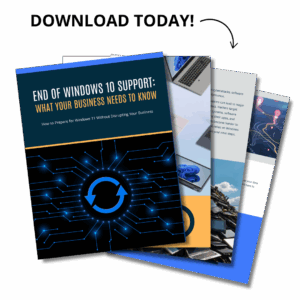
This eGuide explains what changes with the end of Windows 10 support, how it affects security and performance, and the steps you can take to protect your business.
If you want clarity and a clear plan, this guide will save you time, money, and frustration.
Frequently Asked Questions
Windows 10 End of Life means Microsoft will stop providing security updates and support starting October 14, 2025. After that, any new vulnerabilities won’t be patched, leaving systems exposed to cyber threats.
Technically, yes—but it’s a major security and compliance risk. Without updates, your system becomes a soft target for hackers and may no longer meet industry regulations.
You’ll likely face more security breaches, software compatibility problems, and performance issues. Over time, key applications may stop working, and your business could fall out of compliance with data protection laws.
You can check compatibility by going to Settings then Update Security then Windows Update on your Windows 10 device. Microsoft also offers a PC Health Check tool for more detailed analysis.
The upgrade itself is free if your hardware qualifies. However, if your devices don’t meet the system requirements, you may need to invest in new machines.
ESUs are paid updates Microsoft offers for businesses that need more time to transition. They cover security patches only—no performance updates or new features—and are meant as a short-term fallback, not a long-term fix.
Start by checking device compatibility and backing up your business data. Then, work with your IT team or provider to schedule upgrades during off-peak hours, test key apps, and train your team on the new system.Accordion Content
Align Right simplifies the entire upgrade—from assessment and data protection to full rollout and employee onboarding. We help you avoid downtime, security risks, and unexpected costs while making the move to Windows 11 seamless.